

Connectivity is the foundation a monitoring or control system stands on. A sensor that cannot get its reading out is a gauge nobody reads. A controller that cannot be reached cannot be told what to do. Everything else on this site, the sensing, the storing, the deciding, the acting, rides on the connection underneath it. Get connectivity right and the rest has somewhere to stand. Get it wrong and nothing above it works, no matter how good the parts are.
The foundation.
It helps to think of connectivity the way a builder thinks of a foundation: invisible when it works, the cause of every problem when it does not. It is also the choice that shapes every other choice. Where you can put a sensor depends on what can reach it. Whether a remote corner of the property is usable at all depends on whether a signal carries that far. How long a battery sensor lasts depends more on its radio than on anything else it does. So connectivity is not a detail to settle at the end. It is the first thing to get right, because it decides what the rest of the system can even be.
The good news is that the pieces are cheap and proven, and you do not have to understand radio engineering to choose well. You need to understand the trades, and then match each method to the place it is going.
Two journeys.
“Connectivity” covers two different trips, and it is worth keeping them apart.
The first is the link: how a reading gets from a device to a hub nearby. That is the radio or the wire, and it is what most of this page is about. Wi-Fi, Bluetooth, Zigbee, LoRa, cellular, Ethernet: each is a way to carry a reading across some distance.
The second is the path to a place that keeps the data: how the hub gets that reading to somewhere it is stored and used, which might be a small computer on site or a service elsewhere. That trip, the push to an endpoint, has its own page in Build · Connectivity. A whole system is just these two journeys chained together: device to hub, hub to endpoint. This page is the first half, the links and the hardware that make them.
Postcards and highways.
Alongside the two journeys, keep two kinds of load apart. A sensor reading is a postcard: a few dozen bytes, a few times a minute. A network connection is a highway: video, dashboards, software updates, everything at once. Postcards do not need a highway, and confusing the two is the expensive mistake in this subject.
That is why a ten-dollar LoRa radio beats a network link costing fifty times more when the job is a soil reading from the back field, and why no radio trick substitutes for a real network link when the job is a camera, a wall display, or the hub itself. Match the road to the load: LoRa, BLE, and serial wire carry postcards; Ethernet and a point-to-point Wi-Fi bridge carry the highway.
Pick the method.
The single most useful thing to understand about connectivity: no one method is best at everything. Each makes a trade between range, bandwidth, power, infrastructure, and cost. A method built for long range gives up bandwidth. One built for speed gives up range and battery life. The skill is not finding the “best” radio, it is matching each method to the place it has to work.
| Spec | Wi-Fi | BLE | Zigbee / Z-Wave | LoRa | Cellular | Wired |
|---|---|---|---|---|---|---|
| Range | A building | A room | A building, by mesh | Kilometers | Anywhere with coverage | A 100 m cable run |
| Power draw | Hungry | Sips, runs years | Low | Sips, runs years | Hungry | From the cable |
| Bandwidth | High | Low | Low | Tiny | High | Very high |
| Needs | Your router | A receiver nearby | A coordinator | A gateway you own | A carrier, monthly fee | A switch and cable |
| Cost over time | Low | Low | Low | Low, you own it | Per device, ongoing | Low |
| Best for | Cameras, hubs, wall power | Cheap battery sensors | Many indoor devices | Field sensors on battery | Remote or mobile, a few | Fixed, reliable, indoors |
A seventh method matters if you have existing equipment: serial (RS-485 and Modbus), the language of commercial irrigation controllers, soil probes, and pump systems. A real system almost always uses two or three of these together, each doing the job it fits: BLE sensors in the greenhouse, LoRa out in the field, Wi-Fi or wired joining the hub to the network. And when the property itself needs the internet (the second journey), that link has its own choices now: wired broadband where it reaches, Starlink-class satellite where it does not, cellular where a little data is the whole job, or a local fixed-wireless ISP. Readings are tiny, so any of them carries monitoring easily. For the full reasoning behind each method, the Understanding Communications lesson goes deep.
The hardware.
The methods above map to the gear below. Each page covers what the hardware is, how to choose it, and where it fits, in plain terms.
- Wi-Fi: Routers, access points, mesh, outdoor CPE, bridges.
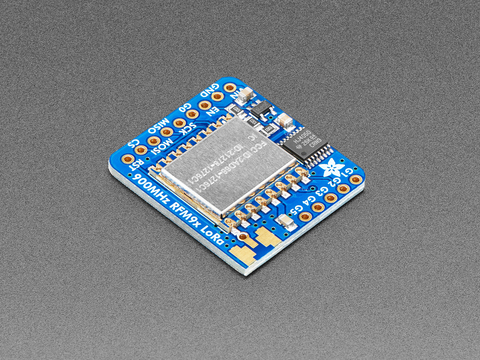
- LoRa and LoRaWAN: Modules, gateways, The Things Network.
- Cellular: LTE-M and NB-IoT modems, IoT SIMs, for remote sites.
- Wired and PoE: Switches, Power over Ethernet, fiber, media converters.
- Gateways and coordinators: The bridges that join one network to another: LoRaWAN, Zigbee, Thread, BLE.
- Bluetooth (BLE): cheap battery sensors, covered under smart devices.
- Zigbee, Z-Wave, Matter: low-power mesh devices, covered under smart devices.
Owning the network.
The open-firmware idea behind this site’s sensor builds applies to the network itself. OpenWrt is the open-source operating system for routers: flashed onto a supported model (check its hardware list at openwrt.org), it replaces the factory firmware with one that keeps getting patched years after the maker moves on, and it unlocks what a farm actually wants from its one load-bearing box: a VPN back to the property, a separate network for the sensor fleet, real control of the radios, honest visibility into what is talking. Meshtastic is the same idea for radios: open firmware that turns cheap LoRa boards into an off-grid text mesh. Neither is required, and factory firmware runs most farms fine. But when the network becomes load-bearing, owning its software is the same bet as owning your data.
Go deeper.
Connectivity is explained at three depths on this site, each for a different need:
Understanding Communications Build: getting data to an endpoint Smart devices All hardware
Frequently asked questions.
Why is connectivity so important in an ag-tech system?
Because everything else depends on it. A sensor is only useful if its reading can travel to a place that keeps it, and a controller is only useful if it can be reached and told what to do. Connectivity is the foundation the whole system stands on, and it also shapes every other choice: where a sensor can go, whether a remote spot is usable, and how long a battery lasts. Get it right first.
Which connectivity method is best for a farm?
There is no single best one. Each method trades range, bandwidth, power, and cost differently. Wi-Fi suits powered devices in a building, BLE suits cheap battery sensors at short range, Zigbee suits many indoor devices, LoRa suits battery field sensors over kilometers, cellular suits a few remote or mobile devices, and wired Ethernet suits fixed, reliable connections. Most real systems use two or three together.
Do I need internet for my monitoring system to work?
No. A hub on site can collect readings, show dashboards, and run automations entirely locally, with no internet at all. Internet only matters for checking things from away or pushing data to a service elsewhere. If the connection drops, a well-built local system keeps working and your data stays yours.
How do sensors send data to the internet?
Usually in two hops. A short link first carries the reading from the sensor to a hub nearby, over Wi-Fi, Bluetooth, Zigbee, LoRa, or a wire. The hub then forwards it over the internet to an endpoint that stores and uses it, though the endpoint can also live on site. Each hop is chosen separately, which is why one system often mixes several technologies.
Should I choose connectivity before or after buying sensors?
Before. Connectivity decides where a sensor can go and whether a spot is reachable at all, so it shapes the sensor choice rather than the other way around. A sensor placed where no signal reaches is wasted money. Walk the property, work out what can reach where, then buy the parts that fit the connectivity you can actually get.