

A power supply is the least glamorous part on this whole site, and the one that causes the most grief when it is wrong. It is the wall adapter that turns mains AC into the clean, steady DC a Raspberry Pi, a hub, or a plugged-in sensor needs. Spend a few dollars on a proper one and a surprising number of mysterious problems, random reboots, corrupted SD cards, a hub that locks up under load, simply never happen.
What it is.
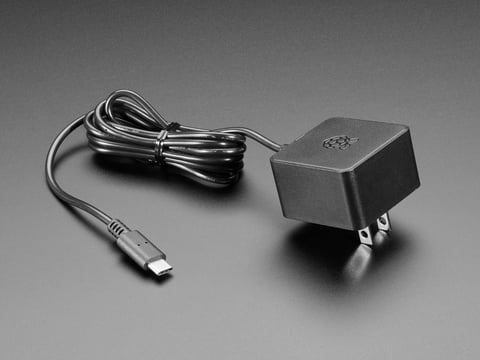
A regulated supply that delivers a fixed voltage, usually 5 volts for a Pi or a microcontroller, at enough current to cover the device’s busiest moment. A good one holds that voltage steady whether the device is idle or working hard; a cheap one sags the moment the load rises. The official Raspberry Pi supply exists precisely because so many Pi problems trace back to an inadequate one.
The brownout problem.
This is the single most common hardware failure a beginner hits, and it is almost always the supply. When the voltage sags under load, a Pi throws an undervoltage warning (the little lightning-bolt icon), and a microcontroller browns out and resets. The symptoms look like a software bug or a flaky board: random reboots, an SD card that corrupts, a hub that freezes when a camera kicks in. The cause is a supply that cannot hold its voltage. A proper one ends the whole class of problem.
The cable trap.
Even a good supply is undone by a bad cable. A thin or long USB cable has real resistance, and the current a Pi or camera pulls drops voltage along its length, so the device sees less than the adapter sends. This is why a Pi can brown out on a quality charger through a cheap cable. Use a short, thick, good-quality cable, and on a Pi prefer the proper supply with a captive cable. The official supply runs at 5.1 volts rather than a flat 5 for exactly this reason: a little headroom to cover the drop.
Sizing it right.
Two numbers. Match the voltage exactly to what the device wants, getting this wrong destroys things, and pick an amperage rating comfortably above the device’s peak draw, not its idle draw. A Raspberry Pi 5 wants a 5 amp USB-C supply; a Pi 4 wants 3 amps; an ESP32 wants a solid 5 volt source good for an amp or more, especially with Wi-Fi and a camera running. When in doubt, size up: a supply rated above the load runs cool and steady, while one rated right at the load runs hot and sags.
Key facts.
Where it fits, and where it doesn’t.
Where it fits
- Any mains-powered hub, Pi, or plugged-in sensor.
- Ending random reboots and SD corruption on a Pi.
- Feeding a camera or hub that spikes under load.
- The foundation under everything else that is powered.
Where it doesn’t
- Off-grid field nodes; those want solar and a battery.
- Riding through a power cut; that needs a backup.
- Changing a DC voltage; use a regulator.
- An undersized or cheap unit; that is the problem, not the fix.
Resources & where to buy.
Official Raspberry Pi supply Battery backup (a UPS) Regulators Supplies & UPS overview
Frequently asked questions.
Why does my Raspberry Pi keep rebooting or showing a lightning bolt?
That is undervoltage, and it is almost always the power supply or cable. When the voltage sags under load, the Pi warns with a lightning-bolt icon and can reboot or corrupt its SD card. Use a proper supply rated above the Pi’s peak draw (5 amps for a Pi 5, 3 amps for a Pi 4) and a short, thick cable, and the problem ends.
Why does the official Pi supply run at 5.1 volts instead of 5?
To cover the voltage drop along the cable. The current a Pi pulls drops some voltage over the cable’s resistance, so the device sees less than the adapter sends. Starting at 5.1 volts gives a little headroom so the Pi still sees a clean 5 at the far end. It is a small thing that prevents a lot of undervoltage trouble.
Can a bad cable cause power problems even with a good supply?
Yes, often. A thin or long USB cable has real resistance, and the current the device pulls drops voltage along it, so the device browns out even though the adapter is fine. Use a short, thick, good-quality cable, and on a Pi prefer the official supply with its captive cable. Many mysterious power issues are really cable issues.
How many amps does my power supply need?
Match the voltage exactly, then pick an amperage comfortably above the device’s peak draw, not its idle draw. A Raspberry Pi 5 wants 5 amps over USB-C, a Pi 4 wants 3 amps, and an ESP32 wants a solid 5-volt source good for an amp or more with Wi-Fi and a camera active. When unsure, size up; a supply rated above the load runs cool and steady.