

Aqara makes some of the cheapest, smallest Zigbee sensors going: a temperature and humidity puck, a door and window sensor, motion, water leak, vibration, and buttons, most for well under twenty dollars and running years on a coin cell. For watching a lot of small things cheaply, they are a grower’s friend, with one quirk worth knowing before you buy a pile of them.
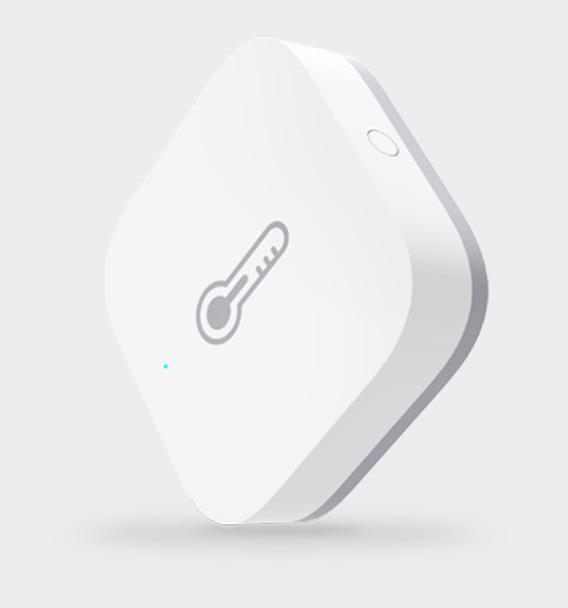
What they are.
Aqara (a Lumi brand) sells a wide line of small, battery Zigbee sensors. The ones a grower reaches for: the temperature and humidity sensor for climate spots, the door and window sensor for a greenhouse vent or a gate, motion for presence and security, and a water leak sensor for a reservoir or pump room. They are tiny, stick anywhere, and last a long time on a coin cell, which is exactly what a low-power mesh radio buys you.
Local, with a hub.
Like any Zigbee device, an Aqara sensor needs a coordinator to reach your network. The good news for the own-your-data crowd: paired to your own coordinator running ZHA or Zigbee2MQTT in Home Assistant, Aqara sensors work entirely locally, no Aqara hub or cloud required. (Aqara does sell its own hubs for its app and for Matter bridging, but you do not need them for a Home Assistant setup.)
The finicky caveat.
Here is the quirk, and it is a real one. Aqara sensors do not always play nicely on third-party Zigbee networks: they can be fussy about which router devices they will route through, and on a thin or mixed mesh they sometimes drop off and stop reporting. The fixes are known, use a solid coordinator, keep a few good mains-powered Zigbee routers in the mesh, and pair the Aqara device close to a router it likes, but it is worth knowing before you scatter a dozen of them across a property. On a healthy mesh they are reliable; on a weak one they are the first to wander off.
Key facts.
Where they fit, and where they don’t.
Where they fit
- Lots of cheap, tiny, battery sensors around a site.
- Door, vent, motion, and leak monitoring.
- Local Home Assistant setups with a healthy Zigbee mesh.
- Rough climate spots where accuracy is not critical.
Where they don’t
Resources & where to buy.
Aqara Home Assistant: ZHA Zigbee2MQTT supported devices Zigbee & Matter overview
Frequently asked questions.
Do Aqara sensors need the Aqara hub?
Not for a Home Assistant setup. Paired to your own Zigbee coordinator running ZHA or Zigbee2MQTT, Aqara sensors work locally with no Aqara hub or cloud. Aqara sells its own hubs for its app and for Matter bridging, but you do not need them to use the sensors in Home Assistant.
Why do Aqara sensors drop off my Zigbee network?
Aqara devices can be fussy about which Zigbee routers they will route through, so on a thin or mixed mesh they sometimes stop reporting. Use a solid coordinator, keep a few good mains-powered Zigbee routers in the mesh, and pair the device near a router it likes. On a healthy mesh they are reliable.
Are Aqara sensors accurate enough for climate control?
They are fine for a rough sense of a room, but consumer-grade. For climate control or VPD where the reading drives a decision, a wired SHT31 is more accurate. Use Aqara for cheap, plentiful coverage and door/motion/leak duties.
What can Aqara sensors measure?
The common ones cover temperature and humidity, door and window open/close, motion, water leak, vibration, and button presses. They are inexpensive and tiny, which makes them handy for watching many small things around a growing space.