

These are the devices that do something: switch a pump, a light, a fan, a heater, or a valve on a schedule or from a reading. A smart plug sits between the wall and a cord; a relay wires inline behind a switch or in a panel. Both speak over Wi-Fi out of the box. The one decision that matters for a grower is whether the device answers to you on your own network, or only to a vendor’s cloud.
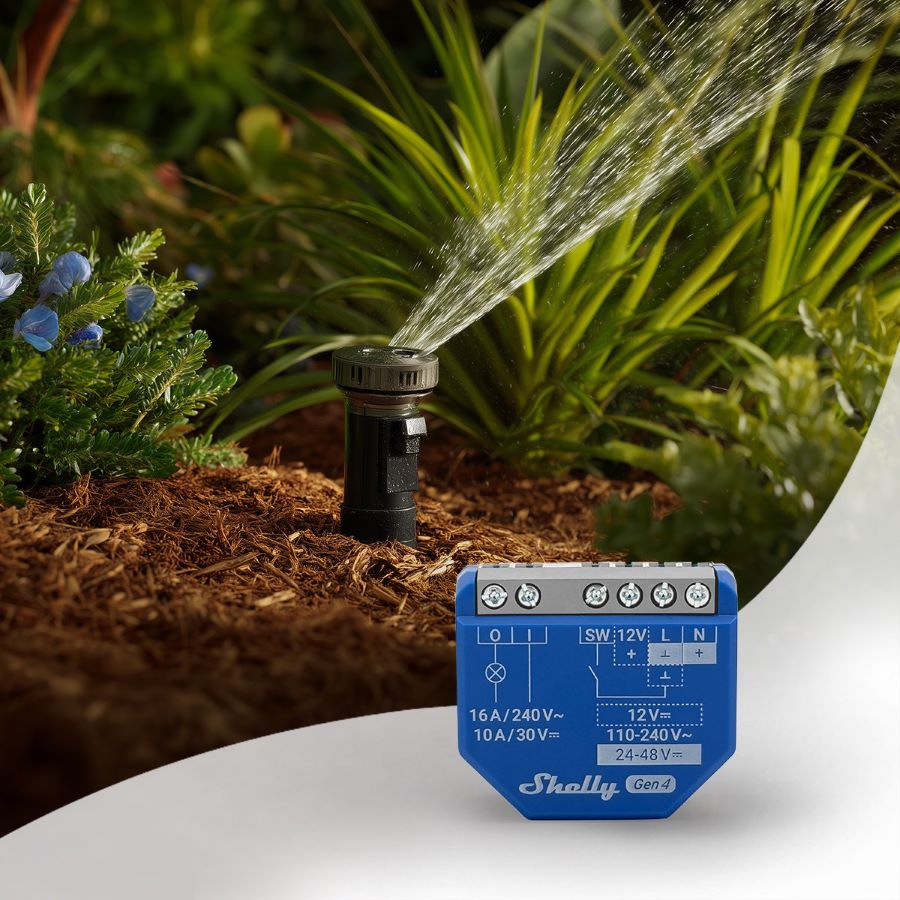
What they do.
A reading is only half a system. The other half is acting on it: when the soil is dry, run the pump; when the tunnel is hot, kick on the fan; at dusk, switch the lights. A smart plug or relay is the hand that does it. Paired with a sensor and a rule (in Home Assistant or a script you run), it turns watching into doing. This is the actuator side of the control layer.
Local, or cloud.
Many cheap smart plugs only work through the maker’s phone app and their servers. When the internet drops, or the company changes its terms or shuts the service down, your pump stops listening. That is the opposite of how Open Agriculture Technology thinks about owning your setup. Prefer devices with local control: a Shelly answers to a local web request and MQTT with no cloud at all, and many Sonoff and other ESP-based devices can be re-flashed with open firmware like Tasmota or ESPHome to cut the cloud out entirely. Local control keeps working when the internet does not, and the device stays yours.
The market is broad. TP-Link’s Kasa line is a popular off-the-shelf middle ground with a local API (its newer Tapo line leans more on the cloud); brands like Athom and Martin Jerry sell devices pre-flashed with Tasmota; and Meross, Wyze, and countless Tuya-based house brands fill the bargain shelves. The names change constantly, but the test does not: can you control it on your own network, without the maker’s cloud?
Compare the options.
Four ways to switch a load over Wi-Fi, from plug-and-go to build-it-yourself. The tinted column is the local-first default.
| Spec | ShellyLocal-first | Sonoff (Tasmota) | TP-Link Kasa | Generic (Tuya) | Bare relay + ESP32 |
|---|---|---|---|---|---|
| Control | Local + optional cloud | Local once flashed | Local (Kasa) + cloud | Cloud-locked | Fully local, yours |
| API / protocol | Local HTTP + MQTT | MQTT (Tasmota/ESPHome) | Local (python-kasa) | Vendor app only | Whatever you write |
| Works offline | Yes | Yes | Yes (Kasa line) | No | Yes |
| Home Assistant | Yes, local | Yes, once flashed | Yes, local (TP-Link) | Cloud, or flash it | Yes (ESPHome) |
| Mains-certified | Yes | Yes | Yes | Yes | Only if you build it right |
| Effort | Plug and configure | Flash, then configure | App setup | App sign-up | Wiring + code |
| Best for | Local-first default | Cheap, then freed | Off-the-shelf, local-ish | Avoid if cloud-locked | Full control, custom loads |
A bare relay driven by an ESP32 gives the most control and is great for odd loads, but switching mains that way is for people comfortable with wiring. For most jobs a certified Shelly or a flashed Sonoff is safer and faster. For the deep dive on a specific device, see the Shelly Plus 1, TP-Link Kasa, TP-Link Tapo, and Athom (pre-flashed) pages.
A word on mains power.
Switching wall voltage is genuinely dangerous, and worth real respect. Use devices rated and certified for the voltage and current of your load, never a hobby relay board fed straight from the mains. For a beginner, a plug-in smart plug is the safest choice: there is no wiring, and the certified enclosure keeps the voltage where it belongs. Inline relays like Shelly are made to sit in a proper electrical box. If a job involves opening a panel and you are not sure, that is the moment to bring in an electrician.
Where they fit, and where they don’t.
Where they fit
- Switching pumps, lights, fans, and heaters on a schedule or a reading.
- Local automations in Home Assistant that keep working offline.
- Adding control to a setup with no soldering (smart plugs).
- Measuring energy use, on models that meter power.
Where they don’t
- Cloud-locked devices, if you care about owning the system.
- Mains wiring you are not qualified or comfortable to do.
- Safety-critical interlocks, which need proper hardware, not a smart plug.
- Loads beyond the device’s rated voltage and current.
Resources.
These open in a new tab:
Shelly (local-first devices) Sonoff Tasmota (open firmware) ESPHome
Frequently asked questions.
What is the best smart plug or relay for local control?
Shelly devices are the common pick because they offer local control out of the box: a local web API and MQTT, with no cloud required. Sonoff and other ESP-based devices are a cheaper route once you re-flash them with open firmware like Tasmota or ESPHome.
Why avoid cloud-only smart plugs?
A cloud-only device stops working when the internet drops or the company changes or ends its service, and it sends your activity to a vendor. Local control keeps the device working on your own network even when the vendor's cloud is down. The data side is the same idea: your readings stay readable, exportable, and yours.
What is the difference between a smart plug and a relay?
A smart plug sits between the wall outlet and a device’s cord, with no wiring needed, which makes it the safe beginner choice. A relay, like a Shelly, wires inline behind a switch or inside an electrical box to control fixed wiring, which takes proper installation.
Can I use these with Home Assistant?
Yes. Shelly devices integrate locally with Home Assistant, and Sonoff or other devices flashed with Tasmota or ESPHome do too. That lets you switch a load from a sensor reading with automations that keep running even without internet.
Is it safe to switch mains power with a hobby relay?
Only with real caution. For most people a certified smart plug or an inline relay rated for the load is safer and easier than a bare hobby relay board. If a job means opening an electrical panel and you are unsure, bring in an electrician.