

The Pololu Maestro is a servo controller with a trick the PCA9685 does not have: it can run on its own. Plug it into a PC over USB, drive it from a microcontroller over serial, or store a sequence on the board and let it play that motion with no computer attached at all. It comes in 6, 12, 18, and 24 channel sizes and produces very precise, jitter-free pulses.
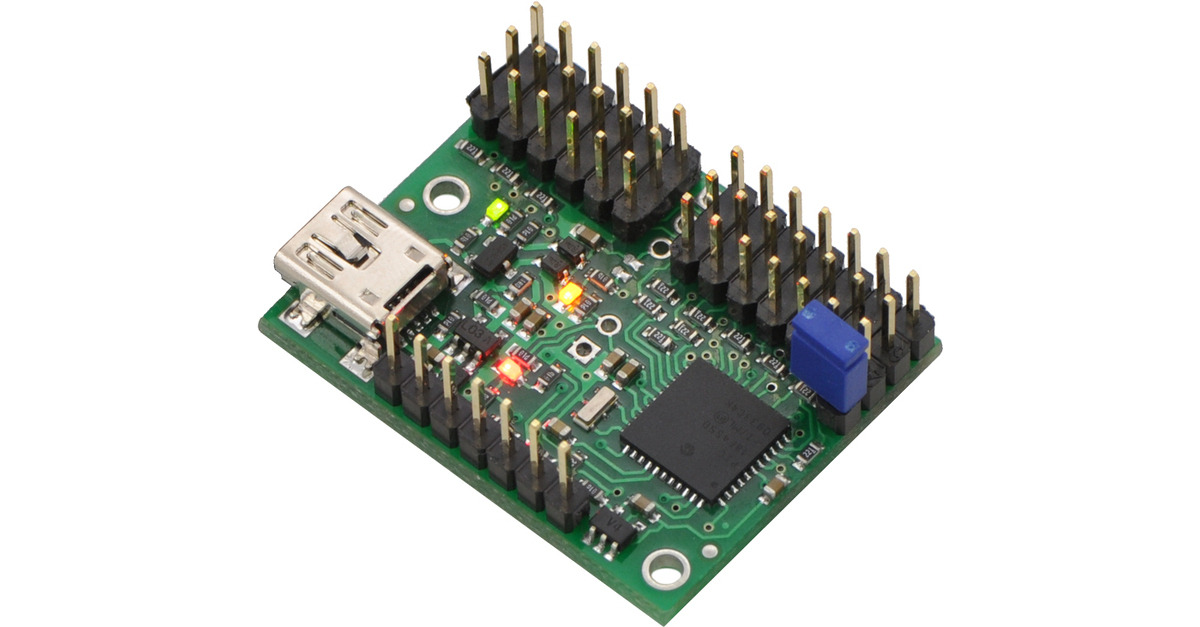
What it is.
A small board that drives a handful of servos with unusually clean, precise timing, down to quarter-microsecond resolution, so motion is smooth and free of the jitter cheap setups can show. Beyond servos, each channel can also act as a general digital output or read an analog input, so the same board can sense a limit switch or flip a relay line as part of a sequence.
Three ways to drive it.
The Maestro fits whatever you are building. Over USB from a PC, with Pololu’s free control software, it is the quick way to set up and test servo positions by dragging sliders. Over serial (TTL) from an ESP32 or a Raspberry Pi, your code sends simple commands and the Maestro handles the pulse timing, much as the PCA9685 does. And on its own, running a stored script, it needs nothing else once powered.
Scripts: no computer needed.
This is the reason to choose a Maestro. You can write a small sequence in Pololu’s software, load it onto the board, and it plays that sequence on power-up forever after, with no PC and no microcontroller. For a grower that means a self-contained mechanism: a vent that cycles through set positions on a schedule, or a feeder arm that runs a fixed motion when triggered, all living on one cheap board. It can react to its own inputs too, so a script can wait for a switch before it moves. When the job is a fixed, repeatable motion rather than something tied into a larger system, that independence is worth a lot.
Key facts.
Where it fits, and where it doesn’t.
Where it fits
- A self-contained mechanism that runs a fixed motion.
- Setting up and testing servo positions from a PC.
- Precise, jitter-free multi-servo movement.
- A sequence that waits on its own switch or sensor.
Where it doesn’t
- Tight Home Assistant integration; a PCA9685 on an ESP32 is simpler.
- One servo on a budget; it is overkill.
- Driving motors directly; it sends signal, not power.
- Dozens of channels at once; chain PCA9685 boards.
Resources & where to buy.
Pololu Maestro controllers Maestro user’s guide PCA9685 (the I²C route) Servos & PWM overview
Frequently asked questions.
What can a Pololu Maestro do that a PCA9685 cannot?
It can run on its own. You load a sequence onto the board and it plays that motion on power-up with no PC and no microcontroller. The PCA9685 always needs a controller to command it. The Maestro can also be driven over USB or serial, and its channels can double as digital outputs or analog inputs.
How do you control a Pololu Maestro?
Three ways. Over USB from a PC with Pololu’s free software, handy for setup and testing. Over TTL serial from an ESP32 or Raspberry Pi, where your code sends commands. Or standalone, running a script you stored on the board, which needs nothing else once powered.
Should I pick a Maestro or a PCA9685?
Choose a Maestro when you want a self-contained mechanism that runs a fixed motion on its own, or very precise control set up from a PC. Choose a PCA9685 when the servos are part of a larger system on an ESP32 or Raspberry Pi, especially with Home Assistant, where the I2C route is simpler and cheaper.
Does the Pololu Maestro power the servos?
No. Like any servo setup, the servos need their own power supply sized for them moving at once, connected to the Maestro’s servo-power input with a common ground. The Maestro provides the precise control signal; the muscle comes from the separate supply.