

01Why this lesson matters.
Automation is seductive. A grower who has been getting up at 3 AM to check the greenhouse heater looks at an automated climate system and sees freedom. A grower tired of running between the well pump, the fertigation mixer, and the packhouse sees consolidation. Automation promises to let the grower sleep, travel, focus on the crop, scale the operation, and stop worrying about the hundred small decisions that run a farm. Most of the promises are real.
But the grower who embraces automation without understanding its limits learns the expensive way that every decision handed to a machine is a decision that can go wrong without anyone watching. A sensor that fails silently leads the controller to make decisions based on false data. A logic bug triggers an action at the wrong time. A power glitch resets the system in an unknown state. A software update changes behavior in ways the grower did not anticipate. Each of these scenarios is rare in a well-designed system and nearly inevitable in a poorly-designed one.
The discipline this lesson teaches is not how to avoid automation. It is how to automate what should be automated, keep human judgment where it belongs, and design every control to fail in a survivable way. Most experienced growers converge on the same principles after enough expensive lessons. This page gathers those principles so a grower new to automation can start from the right place rather than learning through crop losses.
The frame that organizes the whole lesson: appropriate technology applied to decisions. Some decisions are appropriate to automate. Some are not. Some need automation with a human in the loop. Some need humans with automation as a backup. Knowing which category a specific decision belongs to is the core skill.
02Monitoring is not control.
The first distinction to get right. A monitoring system observes. A control system acts. They are different things, with different design constraints, different risk profiles, and different consequences when they fail.
A monitoring system can be wrong and the world is not directly harmed. The temperature sensor that drifts by 2°C over a year feeds incorrect readings to a dashboard; the grower sees somewhat wrong numbers but nothing bad happens because of those numbers alone. The grower still makes decisions based on their own observation, their crop experience, and the integration of many signals. The monitoring data is an input to human judgment, not a replacement for it.
A control system takes actions in the physical world. The thermostat that reads 2°C too low tells the heater to run when it should not, wastes fuel, overheats the crop, potentially damages plants. The moisture sensor that reads too dry triggers irrigation that drowns the roots. The fan that turns on based on a faulty humidity reading dries out the crop. In each case, the controller executed its logic correctly. The input was wrong, and the action that followed caused harm.
This asymmetry matters because it changes what needs to be true for a sensor to be acceptable. A monitoring sensor that is 95 percent reliable (works fine 95 percent of the time, occasionally gives bad readings) is often acceptable. The grower notices the bad reading is implausible and ignores it. A control sensor that is 95 percent reliable causes problems 5 percent of the time, and in the worst 5 percent, that might mean a lost crop.
Starting with monitoring before adding control is almost always the right progression. The grower installs sensors, watches the data, learns what normal looks like, validates that the sensors are behaving correctly, and then (when the data is trustworthy and the patterns are understood) builds automations on top. Jumping directly to control without the monitoring phase usually ends with the grower debugging control logic when they should be debugging sensor behavior.
03The types of control.
Control systems in agriculture fall into a few distinct categories. Each has different risk profiles and different design requirements.
Scheduled control.
The simplest form. An action happens at a specific time, regardless of any sensor. Irrigation on a timer, lights on a photoperiod schedule, ventilation on a daily cycle. Scheduled control is predictable, easy to debug, and has minimal failure modes: if the timer works, the action happens; if not, it does not. Failure is visible. The weakness: scheduled control ignores conditions. An irrigation schedule that fires during a rainstorm waters unnecessarily; a lighting schedule that runs through a power outage and recovery may be off-cycle. Scheduled control fits decisions that do not need to respond to changing conditions: lighting photoperiods, baseline ventilation, regular maintenance cycles.
Threshold control.
The action depends on whether a sensor value is above or below a setpoint. Turn on the heater when temperature drops below 60°F; turn off when it rises above 62°F. Open the vent when humidity exceeds 85 percent; close when it drops below 80 percent. Threshold control is responsive, intuitive, and familiar. It is how most thermostats work. The key design detail is hysteresis: a gap between the turn-on threshold and the turn-off threshold that prevents the controller from rapidly cycling as the value hovers near a single setpoint. Too small a hysteresis band and the system chatters; too large and it overshoots.
Proportional control.
The action scales with how far the value is from the setpoint. A variable-speed fan that runs slowly when temperature is slightly above target and faster as the temperature climbs. Proportional control (and its relatives PI and PID, which add history and predictive components) produces smoother, more stable behavior than threshold control. It also requires more tuning: getting the response gains right for a specific environment is an art. Commercial controllers implement this well; DIY implementations often struggle with tuning. For most small-scale agricultural applications, well-designed threshold control produces good enough results without the tuning burden.
Cascade control.
Multiple controllers working in coordination. Temperature setpoint adjusts based on time of day and crop growth stage. Irrigation timing adjusts based on temperature, light, and soil moisture. Cascade control produces sophisticated behavior but requires thoughtful design: the interactions between controllers can create surprising failure modes if not carefully planned.
Rule-based (event-driven) control.
Actions trigger based on logical conditions, often combining multiple sensors and schedules. If temperature is above 85°F AND humidity is above 80 percent AND it is after 6 AM, open vent 2. Rule-based control is how Home Assistant and similar automation platforms work. The grower expresses decisions as conditions and actions. Flexible, expressive, easy to modify, but can become complex quickly. The more conditions a rule has, the more important it is to have a clear written description of what the rule does and why.
Alerting (human-in-the-loop control).
The system does not take action. It tells a human that something needs attention. Temperature crossed the alarm threshold at 3 AM; the grower's phone buzzes; the grower makes the decision about what to do. Alerting is the safest form of control because the machine never acts; it only informs. It is appropriate for high-stakes decisions, for situations where context matters, for actions that are hard to reverse, and for any scenario where the grower wants to stay in the loop. It is less appropriate for routine decisions where waking the grower for every fan cycle would be unreasonable.
Manual override.
Every automated control should have a manual override that lets a human take control when necessary. A physical switch on the fan circuit that bypasses the controller. A dashboard button that holds a vent closed regardless of what the automation wants. A maintenance mode that disables automation during service. Manual overrides are first-class features, not afterthoughts. They are what allows a human to solve problems the automation cannot handle, correct automation mistakes, and perform operations safely.
04What to automate and what to leave alone.
The question is not whether to automate, but what. Some decisions are excellent candidates for automation. Others are not. A useful framework for deciding: four questions about each decision a grower might consider automating.
Is the decision routine and repetitive?
Automation shines at the same decision made over and over under similar conditions. Lights on at 6 AM, off at 10 PM. Fan on above 80°F, off below 78°F. Water at 7 AM and 7 PM. Routine decisions made on a predictable schedule or rule are what automation does best. Automating non-routine decisions (when to harvest, when to switch crops, how to respond to an unusual pest outbreak) usually goes badly because the conditions that make the decision good or bad are not easily expressed in rules.
Is the decision low-consequence if wrong?
An automated action that occasionally fires when it should not, with minor consequence, is an acceptable failure mode. A fan that runs an extra ten minutes wastes a bit of electricity; not disaster. An automated action with high consequence if wrong (turning off life-support equipment, releasing large quantities of water, applying chemicals) demands much more design care. Either the reliability has to be extremely high, or the automation needs safeguards (human confirmation, interlocks, redundant sensors) that reduce the risk.
Is the decision well-characterized?
Some decisions have clear inputs and clear rules: if this sensor is above this number, do this action. Other decisions depend on context, experience, and multiple soft factors that are hard to express. Automating well-characterized decisions works; automating fuzzy decisions produces automation that works most of the time and fails badly in the cases that actually mattered. If the grower cannot write down the rule in one sentence, it probably should not be automated yet.
Can the automation be rolled back or overridden?
Some automated actions are easy to undo. A fan that ran unnecessarily can be turned off. Some are not: water already poured onto a crop, chemicals already applied, a vent that opened during a freeze and damaged the crop. Decisions with reversible consequences are safer to automate. Decisions with irreversible consequences need human confirmation or sufficient safeguards that errors get caught before they become permanent.
Running a specific decision through these four questions usually reveals whether it belongs in automation, in alerting, or in human hands. A photoperiod schedule for supplemental lighting: routine, low-consequence if slightly off, well-characterized, easily corrected. Perfect for automation. A decision to spray a pesticide: not routine, potentially high-consequence, depends on multiple factors, hard to reverse. Not a good automation candidate, though the monitoring that informs the decision certainly is.
05Design for failure: fail-safe and fail-secure.
Every control system will eventually fail. Power will go out. Sensors will fail. Controllers will crash. Software will bug out. Network will disconnect. Components will break. The question is not whether this will happen but what happens when it does.
Two design philosophies frame the answer: fail-safe means failure leaves the system in a state that cannot cause harm. Fail-secure means failure leaves the system in a state that requires explicit recovery. Different situations need different approaches.
Fail-safe for life-support decisions.
Decisions where failure could kill the crop should default to the safest action when the system fails. Ventilation: if the controller dies, the vents should default to whichever position causes less harm. In most warm-climate situations, that is open (vented). Worst case you lose temperature control but the crop does not cook. In cold climates, default might be closed. Similarly, an automated heater should have a thermal fuse that cuts power if the space exceeds a dangerous temperature regardless of what the controller says. Life-support failures should bias toward safety.
Fail-secure for irreversible actions.
Actions with irreversible consequences should require active, working systems to execute. An irrigation valve that defaults to closed when power is lost cannot accidentally flood a crop during an outage. A chemical injection pump that defaults to off cannot over-dose during a controller crash. These actions should require everything to be working before they can happen.
Watchdog timers.
A watchdog timer is a mechanism where the controller has to regularly prove it is alive by resetting a countdown. If the countdown reaches zero (because the controller crashed, froze, or otherwise stopped responding) the watchdog takes predetermined safe actions. Modern control hardware often includes hardware watchdogs. Software automation platforms (Home Assistant, Node-RED) support watchdog patterns through their scripting.
Redundant sensors for critical decisions.
For decisions whose failure cost is high, two or three sensors reading the same variable are dramatically safer than one. If two sensors agree the temperature is 85°F, and the third reads 120°F, the two agreeing sensors are almost certainly correct and the third has failed. Decisions made from the consensus of multiple sensors are much less vulnerable to single-sensor failure. Three is the reliable minimum for majority voting; two is better than one but requires manual decision when they disagree.
Safety interlocks.
Physical or logical interlocks that prevent certain combinations. A high-temperature cutoff that kills the heater circuit regardless of what the controller says. A low-water cutoff that prevents a pump from running dry. A door switch that disables certain equipment when the door is open. Interlocks catch failures at the physical level, below the controller's logic. They are especially important for equipment that can cause real damage.
Testing failure modes.
A control system that has never been tested under failure conditions has not been tested. Unplug the controller and watch what happens. Disconnect a critical sensor. Cut power to the hub. Block the network. A well-designed system has predictable, safe behavior under all these conditions. A poorly-designed system has behavior nobody can predict. Testing failures before they happen unexpectedly reveals where the design needs work.
06Hysteresis, deadband, and cycling.
The most common source of control problems in simple threshold systems is the single-setpoint mistake. Configure a fan to turn on when temperature exceeds 80°F. When the fan turns on, the temperature immediately starts dropping. When it reaches 79.9°F, the controller decides it is no longer above 80°F and turns the fan off. The temperature rises back to 80.1°F. Fan on. 79.9°F. Fan off. The system cycles rapidly, wearing out equipment, wasting energy, and accomplishing little.
The solution is hysteresis, also called deadband. Set two thresholds: turn on at 80°F, turn off at 78°F. Now the fan turns on when temperature rises through 80°F, stays on as temperature drops through 79°F, 78.5°F, turns off when it drops below 78°F, and stays off as temperature rises through 79°F until it crosses 80°F again. The 2°F gap between on-threshold and off-threshold prevents rapid cycling.
The right hysteresis band depends on the system. For fans in a greenhouse, 2 to 4°F is common. For heaters, 2 to 5°F depending on how quickly the space heats up. For humidity control, 3 to 10 percent. The rule: wider hysteresis means longer cycles and less wear on equipment; narrower hysteresis means tighter control but more cycling. Start wide and narrow only if wider control is visibly inadequate.
Cycling is usually a symptom of inadequate hysteresis, but it can also reflect oversized equipment (a fan that cools the space too fast), unstable sensors (readings that bounce rapidly), or environmental dynamics (a heater in a small space that overshoots). Diagnosing why a system cycles requires looking at the whole picture, not just widening the deadband.
07Alerting, the most important control category.
Of all control types, alerting deserves special attention because it is the safest form of control and often the most valuable. An alerting system does not take action in the physical world. It tells a human that action may be needed. Done well, alerting gives the grower the benefits of constant monitoring without the risks of autonomous action.
What makes good alerting.
A good alert is specific, actionable, and appropriately urgent. 'Greenhouse 2 temperature has been above 90°F for 30 minutes; current reading 93°F at 2:14 AM' is a good alert. 'Sensor reading high' is not. The alert names the problem, provides context, and suggests what the grower needs to know to act. An alert that fires too often trains the grower to ignore it. An alert that only fires when things are genuinely critical gets taken seriously.
Alert routing and escalation.
Who gets the alert, through what channel, at what times. A low-priority alert at 2 AM about a minor issue is almost always wrong. The grower's sleep is worth more than that. A high-priority alert at 2 AM about a potential crop loss is absolutely right. Escalation paths matter: if the primary recipient does not acknowledge within a set time, the alert moves to the backup. If nobody acknowledges, it escalates further. For small operations, the escalation is often just a grower's phone; for larger operations with staff, it can involve multiple people with different roles and availability windows.
Alert categories and thresholds.
Different situations need different urgency levels. Information (temperature is rising; no action needed). Warning (humidity has been high for two hours; may need attention). Critical (temperature above 90°F; immediate action required). Emergency (power failure detected; crop at risk). Each category has its own notification method: information may just appear on the dashboard, warnings might generate a mobile notification, critical issues trigger a phone call, emergencies wake people up. Thoughtful categorization prevents alert fatigue and ensures the serious things get serious attention.
Alert debouncing.
Not every threshold crossing is a real alert. A momentary spike from a noisy sensor should not wake the grower. Good alerting systems wait for a condition to persist before firing: 'humidity above 90 percent for 30 minutes' rather than 'humidity above 90 percent right now.' The debounce time depends on the variable: temperature might need 5 to 15 minutes; humidity 15 to 30 minutes; longer-term patterns (nutrient depletion, crop stress) hours to days.
Acknowledgment and resolution.
An alert that fires and is never acknowledged is a signal the alerting system failed to reach a human. A modern alerting platform tracks which alerts have been acknowledged and which are still pending. Reviewing unacknowledged alerts is part of system maintenance. They reveal either alerts that are not important enough to wake people (and should be downgraded) or alerts that the grower is missing (and needs a different notification method).
Alert silencing.
During maintenance, a grower may want to disable alerts for specific areas or systems. Silencing an alert must be explicit (nobody accidentally turns off alerts) and time-limited (silenced alerts automatically re-enable after a specified period, so nobody forgets and leaves alerts disabled). Permanent silencing requires explicit action and ideally a note about why.
The alert that should exist but often does not.
The most critical alert in many agricultural operations is not about a specific reading but about the absence of readings. 'Greenhouse 2 sensors have not reported in 20 minutes' is often a more important alert than any temperature threshold. If the sensors are not reporting, the grower does not know what is happening. And something has happened that caused the silence. Every well-designed monitoring system alerts on data loss, not just threshold crossings.
08Actuators, the things that get turned on and off.
On the other end of every control decision is an actuator: the physical device that does the action. Relays, valves, motors, heaters, pumps, lights. The actuator's characteristics constrain the control system: slow actuators cannot respond to fast changes, high-current actuators need heavier electrical design, actuators that fail in specific ways dictate the fail-safe approach.
Smart plugs and smart switches.
The simplest actuators. A smart plug turns a device on or off by interrupting wall power. Smart plugs are cheap, easy to install, and reliable for low-current loads (lights, small fans, small pumps). They fail safely: if the smart plug loses power or loses network, the downstream device simply has power whenever the plug does. They do not fit high-current loads (large heaters, big pumps) because they are rated for typical consumer loads. A fifteen-amp smart plug should not be asked to switch a twelve-amp continuous load.
Relays.
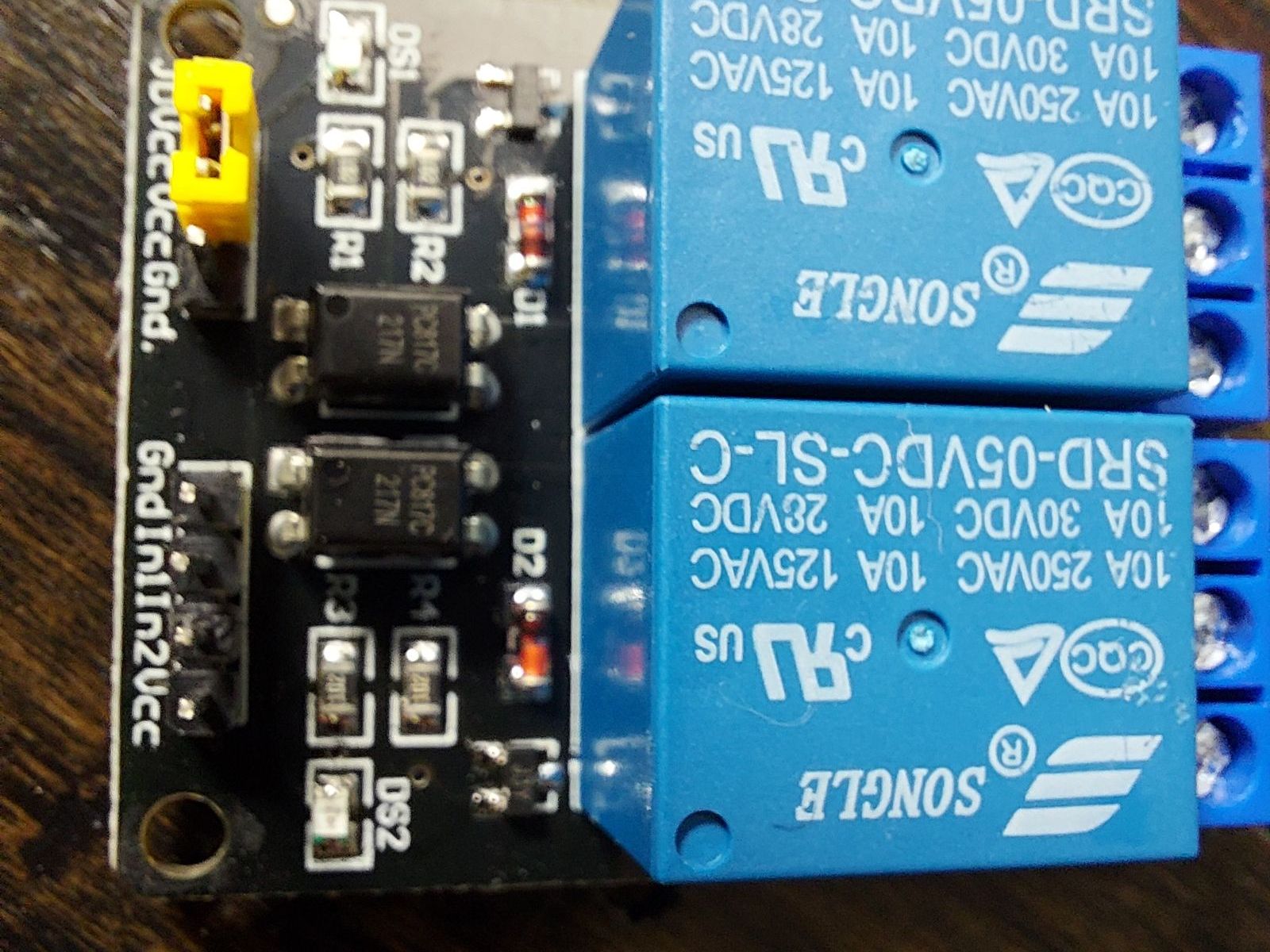
Electrically-controlled switches that can handle higher currents than smart plugs. A monitoring system triggers a small control current; the relay uses that to switch a larger load current. Solid-state relays (SSR) use electronic switching, have no moving parts, can switch faster, and handle AC loads well. Electromechanical relays use a physical armature, click when they switch, and typically handle any voltage (AC or DC) within their rating. For agricultural applications, quality-rated relays for the specific load type (motor, heater, resistive, inductive) matter.
Solenoid valves.
Electrically-controlled valves that open or close water or other fluid flow. Standard for automated irrigation, fertigation mixing, water supply switching. Normally-closed valves require power to open. They default to closed when power is lost, which is usually the safer state. Normally-open valves require power to close. Less common because the failure mode (stuck open) usually does more damage than stuck closed. Choose the right normally-open or normally-closed type based on which failure mode is less bad for the specific application.
Motors and actuators.
For moving things: vent openers, curtain motors, louvers, dampers, gates. Typically controlled through relays that switch direction (forward/reverse) and engagement. Vent motors in particular often have position feedback so the controller knows whether the vent actually moved when commanded. A vent motor commanded open that has not changed position for thirty seconds indicates either a failure or an obstruction; either way, the controller should know and alert.
Variable-speed drives and dimmers.
Control that delivers variable output rather than just on/off. Variable-speed fan drives, dimming controls for lights, proportional valves. Useful for proportional control strategies that produce smoother behavior than on/off threshold control. Typically more expensive and more complex than simple on/off, so justify their use against actual benefit. Many agricultural applications are served well enough by on/off control with appropriate hysteresis.
What to watch for with actuators.
Relay ratings versus actual loads. Overloading a relay shortens its life dramatically and can cause fires. Inductive loads (motors, solenoids) require relays rated for inductive switching. A relay rated 15 amps resistive may only be rated 5 amps inductive. Electrical isolation between control and load circuits. Fail-safe defaults on power loss. Feedback (current sensing, position sensing, pressure sensing) that confirms the actuator actually did what was commanded, not just that the command was sent.
09The right to own, maintain, and repair what controls your operation.
A control system that cannot be fixed by the grower is a control system the grower does not really own. This is not a secondary consideration. It is fundamental. When a grower hands control of their operation to technology, they are trusting that technology to work. When it stops working, the grower who can fix it keeps growing. The grower who cannot fix it waits for a vendor.
Commercial control systems vary enormously in how much of the system the grower can access. Some allow complete reconfiguration and programming by the grower; others treat everything as proprietary and keep the grower out. The same is true of consumer automation products. Some expose all their logic and settings, others lock the grower into whatever behaviors the vendor ships.
The collective approach chooses open platforms specifically because of this. Home Assistant is open-source. Node-RED is open-source. ESPHome is open-source. The configurations a grower writes for these platforms are readable text files that the grower can edit, understand, back up, and share. When something breaks, the grower or someone the grower trusts can fix it. When the grower wants to change behavior, they change it, not submit a feature request to a vendor who may or may not implement it.
This is not a philosophical flourish. It is a practical requirement. A grower whose tomato crop depends on automated climate control cannot afford to be told 'that feature is on the roadmap.' The grower needs to make the change today, or keep control of the decision in human hands. Owning the control system means owning the logic, the data, the configuration, and the ability to repair: all of it, not just the hardware.
This principle applies to every layer of an agricultural control system. The operating system running on the hub should be one the grower can access and update. The automation logic should be expressed in a language the grower can read. The data should live in formats the grower can export. The hardware should be replaceable with components sourced from ordinary suppliers. Every closed component the grower accepts is a potential future dependency the grower cannot escape.
10Keeping humans in the loop.
The best control systems keep humans informed and in control even while automating routine work. Several patterns make this easier.
Dashboards that show what the system is doing.
A grower who cannot see what the automation is doing cannot catch problems. Dashboards that display current sensor readings, active alerts, recent automation triggers, and overall system health let the grower notice anomalies before they become disasters. A dashboard is not a vanity feature. It is the primary interface between the grower and the automation.
History of automation actions.
A log of every action the automation took, with timestamps, triggering conditions, and outcomes. This history reveals patterns: the fan that runs constantly because hysteresis is too tight, the vent that opened at 3 AM for reasons that are unclear, the alert that fired repeatedly before the grower silenced it. Good automation systems keep detailed logs; reviewing them periodically keeps the grower connected to the system's actual behavior.
Change notifications.
When the automation changes (new rule added, threshold modified, schedule adjusted) the grower should know. Self-hosted systems can log changes; cloud systems should notify. A change that happens silently can cause behavior the grower cannot explain until they dig into the logs.
Regular review.
Set aside time to review the automation: what it did last month, what alerts fired, what settings should change based on seasonal shifts. Automations that worked perfectly in summer may not fit fall, let alone winter. Growing operations evolve; the automations that control them should evolve too.
Manual operation capability.
Every automated function should be manually operable. A physical switch that bypasses the automation. A dashboard button that overrides a setpoint. A mode selector that disables automation entirely. During maintenance, during unusual conditions, during vendor problems, the human needs to be able to operate the system directly.
Documentation.
A written description of what each automation does and why. This seems obvious and is rarely done. Six months after setting up a complex rule, the grower cannot remember why they configured it exactly this way. A short written note (in a notebook, in a comment in the automation configuration, in a shared document) preserves the reasoning. When the system needs to change, the reasoning is there.
11Common control failure modes.
Understanding how control systems typically fail helps design around the failures and diagnose them when they happen.
Silent sensor failure driving bad actions.
A temperature sensor drifts or fails; the control system executes its logic correctly based on wrong data; harmful actions result. Prevention: redundant sensors on critical control loops, bounds-checking (ignore readings outside plausible ranges), and periodic calibration.
Chattering from insufficient hysteresis.
System cycles rapidly, wearing equipment. Prevention: adequate deadband, or upgrading to proportional control for systems that genuinely need smoother response.
Compound rule interactions.
Two rules that each work correctly in isolation combine in unexpected ways. A temperature rule opens the vent; a humidity rule closes it; the system oscillates. Prevention: clear priority ordering of rules, integration testing, careful review of rules that might interact.
Power-up in unknown state.
After a power failure, the controller restarts and the automation system assumes defaults that do not match reality. Prevention: automation designs that converge on correct state after boot from current sensor readings, clear documentation of startup behavior, testing what happens after power failures.
Network outage disabling critical functions.
If the automation depends on a cloud service or external API, a network outage kills control. Prevention: keep all critical control logic local, on-site. The hub computer should make decisions without needing the internet.
Unexpected interactions with vendor updates.
A firmware update to a connected device changes behavior; the automation that depended on the old behavior stops working correctly. Prevention: defer automatic firmware updates on critical devices, test updates in a non-production context first, keep the option to roll back available.
Loss of manual control.
A vendor pushes an update that removes local control capability or changes the interface. Prevention: prefer platforms that keep the grower in control of their own updates, and hardware that has physical manual overrides independent of software.
Alert fatigue.
So many low-value alerts that real alerts get ignored. Prevention: tune alert thresholds regularly, use graduated severity levels, and treat an ignored alert as a sign that either the alert or the threshold needs adjustment.
12Rules of thumb for control decisions.
A practical summary:
Start with monitoring. Prove the sensors are trustworthy before adding control. Automations built on top of flaky sensors inherit all the flakiness.
Automate routine, low-consequence, well-characterized decisions. Keep non-routine, high-consequence, or context-dependent decisions in human hands, informed by the monitoring data, but decided by people.
Every control action should have a clear safe-state for when it fails. Ventilation: probably open. Irrigation: closed. Chemical injection: off. Know the safe state before deploying the automation.
Hysteresis is essential for any threshold-based control. A single setpoint guarantees chattering. A deadband of a few degrees or a few percent stabilizes the system.
Alerting is control too, and often the best form. A human notified quickly makes better decisions than a machine making routine decisions autonomously.
Redundant sensors save crops. For critical control loops, two or three sensors voting on the reading is dramatically safer than a single sensor.
Manual override should be first-class. Every automation needs a way for a human to take over, immediately, without fighting the system.
Test failure modes deliberately. Unplug the controller. Cut power. Disconnect sensors. Watch what happens. Fix what does not fail safely.
Keep critical control local. Cloud dependencies fail; local systems survive. A well-designed control system keeps running through internet outages.
Log everything and review periodically. The log is where problems hide and where improvements come from. A system that is not reviewed drifts silently from the grower's intent.
Own your control system. Configurations, logic, data, hardware: all of it should be under the grower's control. The right to own, maintain, and repair is not a slogan. It is the only way to ensure the system keeps working when you need it most.
Frequently asked questions.
What is the difference between monitoring and control?
A monitoring system observes and reports. Sensors measure conditions and a dashboard displays them. A control system takes action in the physical world: turning on fans, opening vents, triggering irrigation. Monitoring can be wrong without causing harm; the grower ignores implausible readings. Control acting on wrong data can cause real damage. Starting with monitoring before adding control is almost always the right progression.
What is an automation?
An automation is a rule that tells a control system what action to take under specific conditions. 'If the greenhouse temperature exceeds 85°F, turn on the exhaust fan' is an automation. Modern automation platforms (Home Assistant, Node-RED, and similar) let the grower express many such rules, combining sensor values, schedules, and logic to control equipment automatically.
What is a setpoint?
A setpoint is the target value a control system is trying to maintain. A thermostat's setpoint is the temperature it aims for: turning on the heater when actual temperature drops below setpoint, turning off when above. Setpoints are the core configuration of most control systems. Setting them correctly for the crop, season, and growth stage is what tuning a control system means.
What is hysteresis?
Hysteresis is the gap between the turn-on threshold and the turn-off threshold in a control system. Without hysteresis, a system would rapidly cycle on and off as the measured value hovers near a single setpoint. A 2°F hysteresis band means the fan turns on at 80°F and off at 78°F, stabilizing the control. Also called deadband. The right hysteresis band depends on the system; too narrow causes chattering, too wide allows the value to drift further than desired.
What is a PID controller?
A PID (Proportional-Integral-Derivative) controller calculates the control output based on three factors: how far the current value is from setpoint (proportional), how long it has been off (integral), and how fast it is changing (derivative). PID control produces smoother, more stable behavior than simple on/off threshold control. It requires tuning the three gains for the specific system. For most small-scale agricultural applications, well-designed threshold control with hysteresis is simpler and adequate.
What is an actuator?
An actuator is the physical device a control system uses to do something: a relay that switches a fan, a solenoid valve that releases water, a motor that opens a vent. The actuator is the 'output' of the control system. Choosing the right actuator for each application, with appropriate ratings for the load, matters for reliability and safety.
What is a relay?
A relay is an electrically-controlled switch. A small control signal from a monitoring system causes the relay to close a contact that switches a larger current for a load: a fan, heater, pump, or other equipment. Solid-state relays use electronic switching with no moving parts; electromechanical relays use a physical armature that clicks. Relays let a low-power controller switch high-power equipment.
Should I automate my greenhouse?
It depends on what you automate. Routine, low-consequence, well-characterized decisions (lighting schedules, basic ventilation, simple irrigation timing) are excellent candidates for automation. Non-routine decisions (when to spray, when to harvest, how to respond to an unusual problem) are better left in human hands. Most experienced growers combine automation for routine decisions with alerting for non-routine ones, keeping themselves in the loop for the judgment calls.
What decisions should I NOT automate?
Decisions where the consequences of being wrong are severe and hard to reverse. Decisions that depend on many soft factors that are hard to express as rules. Decisions that require context, experience, or integration of many signals. Examples: deciding whether to spray a pesticide, determining when a crop is ready to harvest, responding to a new pest outbreak, changing crop varieties. These decisions benefit from monitoring data but should be made by people.
Is it safe to automate temperature control?
Yes, with proper design. Temperature control is one of the most common and well-understood agricultural automations. The essentials: use redundant sensors for critical decisions, design for fail-safe behavior (what happens when the controller fails), include physical cutoffs for extreme conditions (high-limit thermostats on heaters, for example), use appropriate hysteresis, and configure alerts for when temperature leaves acceptable ranges. With those elements, automated temperature control is reliable and safer than manual control.
Should I connect my automation to the internet?
For monitoring and remote access, yes. Being able to check the greenhouse from your phone while away is one of the major benefits of modern systems. For critical control logic, however, keep the decisions local. A system that depends on a cloud service stops working when the internet fails. The right pattern: critical control happens on a hub computer inside the greenhouse or building, and the internet is used for remote access and backup, not for core control logic.
What does fail-safe mean?
Fail-safe means that when a system component fails, the system enters a state that cannot cause harm. A ventilation system designed to fail-safe defaults to the position that is less damaging when the controller dies: usually open in warm climates, closed in cold climates. A fail-secure approach is different: it leaves the system requiring explicit recovery. Different applications need different approaches; the key is choosing deliberately rather than letting failure modes happen by accident.
What is a safety interlock?
An interlock is a physical or logical mechanism that prevents unsafe combinations or operations. A high-limit thermostat on a heater that cuts power if the space exceeds a dangerous temperature regardless of what the controller says. A door switch that disables equipment when a door is open. Interlocks catch failures at the physical level, below the controller's logic, and are particularly important for equipment that can cause damage.
What is a watchdog timer?
A watchdog timer is a mechanism that triggers safe actions if the control system stops responding. The controller must regularly 'feed' the watchdog (reset a countdown timer) to prove it is alive. If the timer reaches zero, the watchdog assumes the controller has crashed and takes predetermined safe actions. Modern control hardware often includes hardware watchdogs; software automation platforms support watchdog patterns through their scripting.
How do I design my system to survive a power outage?
Several approaches together. Uninterruptible power supply (UPS) on the hub and network equipment keeps monitoring and alerting alive through short outages. Fail-safe defaults on actuators so that loss of power leaves equipment in safe states. Sensor and alerting that detects and reports when power is lost. For critical operations, backup power (generator, solar) to keep essential equipment running longer. The goal is that a power outage never becomes a crop loss without the grower knowing.
What are redundant sensors?
Redundant sensors are multiple sensors measuring the same variable, used together for more reliable control. If two temperature sensors both report 85°F and a third reports 125°F, the two agreeing sensors are almost certainly correct and the third has failed. For critical control decisions, using two or three sensors and making decisions based on their consensus is dramatically safer than depending on a single sensor that might fail silently.
Why does my fan turn on and off constantly?
The most common cause is insufficient hysteresis. The fan turns on when temperature crosses a single setpoint and turns off as soon as temperature drops back below that same setpoint. Fix by setting two thresholds with a gap between them: on at 80°F, off at 78°F, for example. The 2°F deadband prevents the rapid cycling. Other causes of cycling: oversized equipment that cools the space too fast, noisy sensor readings bouncing around, or an environment that heats up too quickly.
What is the right hysteresis for temperature control?
For fan control in greenhouses, 2 to 4°F (1 to 2°C) is common. For heater control, 2 to 5°F depending on how quickly the space heats up. For humidity control, 3 to 10 percent. The right value depends on the system's dynamics: wider hysteresis causes longer, less frequent cycles; narrower hysteresis gives tighter control but more cycling. Start wider and narrow only if wider control is visibly inadequate.
What makes a good alert?
A good alert is specific, actionable, and appropriately urgent. 'Greenhouse 2 temperature has been above 90°F for 30 minutes; current reading 93°F at 2:14 AM' is a good alert. 'Sensor reading high' is not. Good alerts include the location, the measurement, the duration, the current value, and the timestamp. They should only fire when action is actually needed. Alerts that fire frequently for non-issues train the grower to ignore them.
How do I prevent alert fatigue?
Set thresholds where action is genuinely required, not where something is slightly unusual. Use debouncing (require the condition to persist for minutes before firing). Categorize alerts by severity and route different categories differently. Review unacknowledged alerts periodically. They reveal either alerts too minor to wake people or notifications failing to reach the grower. If an alert fires regularly and is routinely ignored, it needs to be adjusted or removed.
Should I get alerts at 3 AM?
Only for genuinely critical issues. A potential crop loss, a system failure requiring immediate intervention, a safety issue: these justify waking the grower. Minor issues, informational notifications, routine alerts should wait for daylight. Different severity levels routed to different notification channels let the grower stay informed about everything while only being disturbed at night for real emergencies.
What alerts should every agricultural monitoring system have?
At minimum: temperature out of range for critical growing areas, humidity out of range for critical growing areas, power failure detection on the monitoring hub, internet or network failure detection, sensor data loss (sensors not reporting), and low battery warnings for battery-powered sensors. Additional alerts for specific operations: water leak detection, door open during unusual hours, irrigation malfunction, CO2 out of range for enriched environments. The guiding principle: alert on the things that would cost a crop if unaddressed.
Why is manual override important?
Because automation is never perfect, and the grower needs to solve problems the automation cannot. A maintenance mode, a physical switch that bypasses the controller, a dashboard button that holds an equipment state: these are not afterthoughts, they are first-class features. During maintenance, during unusual conditions, during system failures or vendor problems, the human needs to operate the system directly. A control system without manual override is a system where humans become bystanders when things go wrong.
Should I have a physical switch or a software override?
Both, ideally. A software override in the dashboard is faster for routine purposes: hold a vent closed for 20 minutes while checking something, override a schedule temporarily. A physical switch is more reliable during system failures. When the network is down or the hub is crashed, a physical switch still works. For critical equipment (heaters, pumps, lights), a hardwired manual switch ensures the grower can always take direct control.
How do I automate greenhouse ventilation?
Typical pattern: set temperature and humidity thresholds with appropriate hysteresis; link them to fan or vent controls; include manual override; configure alerts for when temperature or humidity goes out of range beyond automation's ability to correct. For most small-to-mid-scale greenhouses, threshold control with 2 to 4°F hysteresis on temperature and 3 to 5 percent hysteresis on humidity produces stable, reliable ventilation. Home Assistant or similar automation platforms make this straightforward to configure and modify as seasons change.
How do I automate irrigation?
Multiple approaches. Simple: schedule-based (irrigate at specific times for specific durations). Better: schedule plus soil moisture check (irrigate only if soil moisture is below threshold). Best for production: soil moisture trigger with safeguards (irrigate when moisture drops below setpoint, with daily limits to prevent runaway in case of sensor failure). Always include a maximum daily volume safeguard: prevents a stuck valve or sensor failure from flooding a crop. Always alert if irrigation does not produce an expected moisture response.
Can I automate CO2 enrichment?
Yes, with care. A CO2 sensor drives a valve that releases CO2 when levels are below setpoint. The safeguards matter: CO2 is heavier than air and can accumulate in low areas, potentially creating asphyxiation risk for workers; the system should have a clear ventilation interlock (CO2 injection stops when vents are open or when people are detected). Maximum run-time limits prevent runaway injection from a stuck valve. Calibration of the CO2 sensor matters more for enrichment control than for monitoring because the controller acts on the reading directly.
Should I automate my lighting?
Yes. Lighting is one of the easiest and safest things to automate. Photoperiod scheduling (on for a set number of hours per day, at specific times) is standard. More advanced: light level sensors that adjust supplemental lighting to maintain a target DLI regardless of natural light. Even more advanced: ramp-up and ramp-down at sunrise and sunset to simulate natural light. Lighting automation has low downside risk (mistakes usually just shift plant growth slightly) and high upside (consistency, labor savings, optimized DLI).
My automation worked fine last week and stopped working today. What happened?
Common causes: a sensor it depends on has failed or drifted; a connected device received a firmware update that changed its behavior; a network issue is preventing communication; the automation platform received an update that changed behavior; someone accidentally disabled or modified the rule. Diagnosis order: check the dashboard for unusual sensor readings; review the automation logs for recent runs and outcomes; check for recent device updates; verify the automation rule is still enabled and configured as expected.
How do I know if my automation is working correctly?
Review logs regularly. The logs show every action the automation took, when, why, and what happened. Look for patterns: actions firing at unexpected times, long gaps between expected actions, repeated failures. A weekly review of automation logs catches problems before they become disasters. Automation that works silently for months without review has almost certainly drifted from your original intent.
Why does my control system keep resetting?
Common causes: power supply issues (undervoltage, electrical noise from nearby equipment), hardware faults (memory, storage), software bugs (memory leaks, crashes), overheating, or network problems causing watchdog timeouts. Check the hub's logs for error messages around the reset times. Check power supply quality. Check whether the hub is getting too hot. If resets happen at consistent times, correlate with other events: pump cycles, lighting changes, scheduled backups.
What does a basic automation system cost?
For a small agricultural operation, a basic automation system built on Home Assistant can be assembled for a real but reasonable investment. This includes a hub computer, essential sensors, relays or smart plugs for actuator control, and installation components. Software is free. Setup requires some time but extensive documentation and community help are available. Adding specialized components (quality PAR sensor, industrial-grade soil probe, solenoid valves) scales the cost up.
Is it cheaper to build or buy?
Depends on scale and technical comfort. For small operations, building a Home Assistant-based system on commodity hardware is typically a fraction of the cost of commercial alternatives. For large operations, commercial systems offer support contracts, warranties, and staff familiarity that may justify the cost. For many mid-scale operations, a hybrid makes sense: commercial systems for the most critical, highest-value automations and an open-source system for everything else.
Is automation always better than manual control?
No. Automation is better for routine, frequent decisions that benefit from consistency and speed. Manual control is better for infrequent, context-dependent decisions that benefit from human judgment. A grower who tries to automate everything often discovers that the complex automation causes more problems than it solves. A grower who automates only the obvious routine decisions and keeps the rest in human hands usually has a more reliable operation.
Does more automation mean I can have fewer people?
Sometimes, not always. Automation can reduce the labor needed for routine tasks: automated irrigation, automated lighting, automated alerts. It does not reduce the need for skilled people to make non-routine decisions, respond to alerts, maintain equipment, and manage the operation. Automation frees skilled labor from routine work to focus on higher-value activities; it does not eliminate the need for skilled labor. Operations that cut staff too aggressively after automating often regret it when something goes wrong.
Can I trust my control system to run while I'm away?
Depends on how well it is designed. A well-designed control system with monitoring, alerting, manual override, fail-safe defaults, and redundant sensors can run reliably while the grower travels. A poorly-designed system that depends on many things going right simultaneously cannot. Before leaving, test the failure modes: what happens if the internet fails, what happens if a sensor fails, what happens if power is lost. A system that handles all those gracefully is a system you can leave running.
Is open-source automation less reliable than commercial?
Not necessarily, and often it is more reliable for the right applications. Home Assistant has been in production use for over a decade with millions of deployments. For small to mid-scale applications, open-source automation is typically as reliable as commercial alternatives at a fraction of the cost. Commercial systems offer support contracts and professional installation, which some operations need. For operations where the grower is willing to maintain the system or draw on community help, open-source offers more control and lower total cost of ownership.
Put it to work
Reading is half the loop. The other half is a relay doing what the reading says, and that half is buildable too.